Instant Grammar Fix
Type rough notes in any editor. Press Ctrl+Shift+G (Windows) or ⌘+Shift+G (Mac) to clean up typos and phrasing in place.
The privacy-first AI writing copilot with 1-click webmail
replies,
instant grammar fix (Ctrl/⌘+Shift+G),
slash snippets (/cal), and
universal AI chat (Alt+A /
Ctrl+Shift+K).
Works directly inside Gmail, Outlook, LinkedIn, and every editor on the web.
Hi team, following up on last week's sync — we need to leverage cross-functional synergies to operationalize the Q3 roadmap deliverables before the board review on Friday.
Works wherever you write
Features
One extension. Every writing task. No tab switching.
Type rough notes in any editor. Press Ctrl+Shift+G (Windows) or ⌘+Shift+G (Mac) to clean up typos and phrasing in place.
Automatically injected next to Gmail & Outlook "Reply" buttons. Reads thread context and drafts an immediate reply.
Type /cal, /thanks, or /meeting in any editor on Windows or Mac to
expand full saved templates.
Summon on any page via Alt+A or Ctrl+Shift+K (⌥+A / ⌘+Shift+K on Mac). 4 AI modes with Markdown export.
Press Alt+D on Windows (⌥+D on Mac) on Gmail to triage your inbox into Urgent, Important, and Normal 100% locally.
Ambient ✨ button in every compose box turns rough thoughts into polished emails with visual
state feedback.
Highlight any text on the web to explain (ELI5), rewrite, summarize, or translate with live refinement chips.
Real-time thread sentiment indicators (🔥/😊) and smart warnings if you mention attachments without files.
Live demos
Pick a feature, or sit back and watch them play one by one.
How it works
Select text on any page, or open the assistant in your email editor with Alt+A.
Explain, rewrite, summarize, reply, translate — or just ask anything in plain English.
Refine the result, then Replace or Insert straight into your draft. You always hit Send.
Visual Showcase
Built to integrate naturally into Gmail, Outlook, and standard web text areas without breaking your flow.
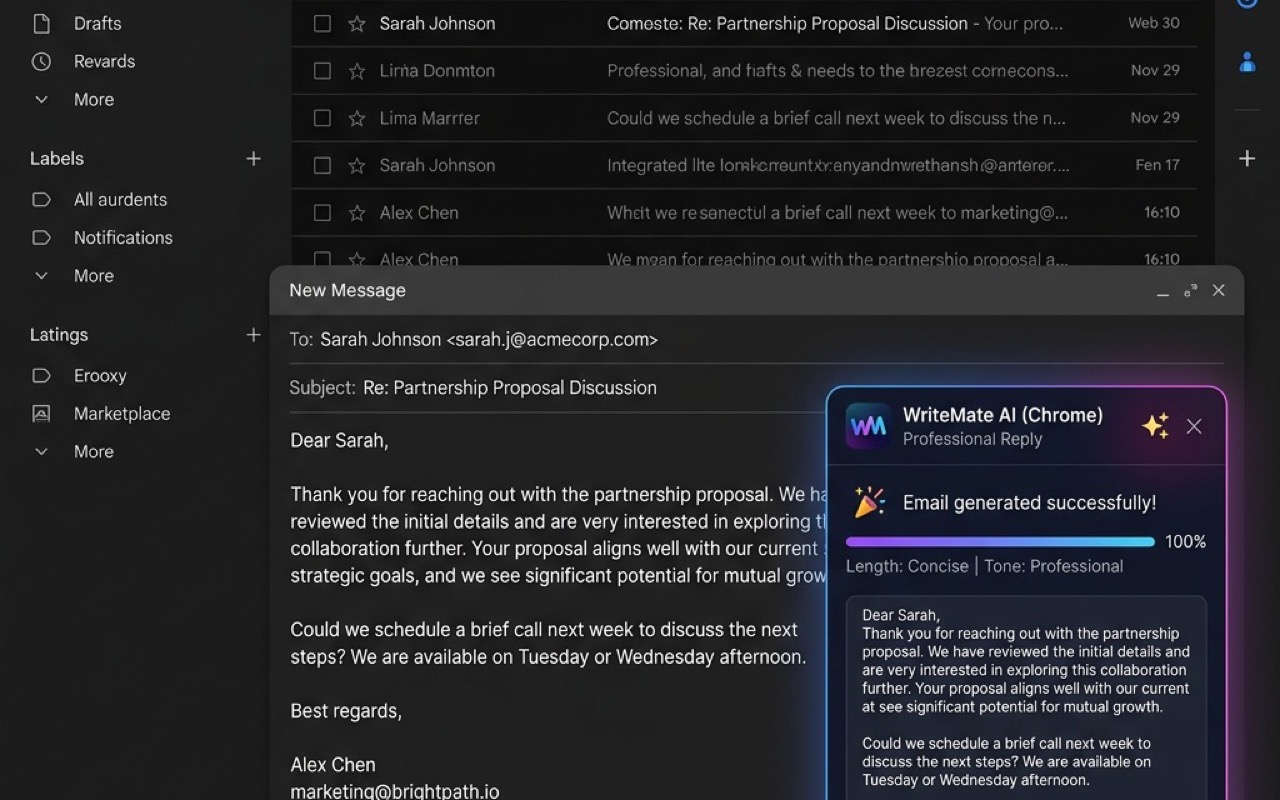
Detects email history, drafts polite and context-aware responses with tone controls.
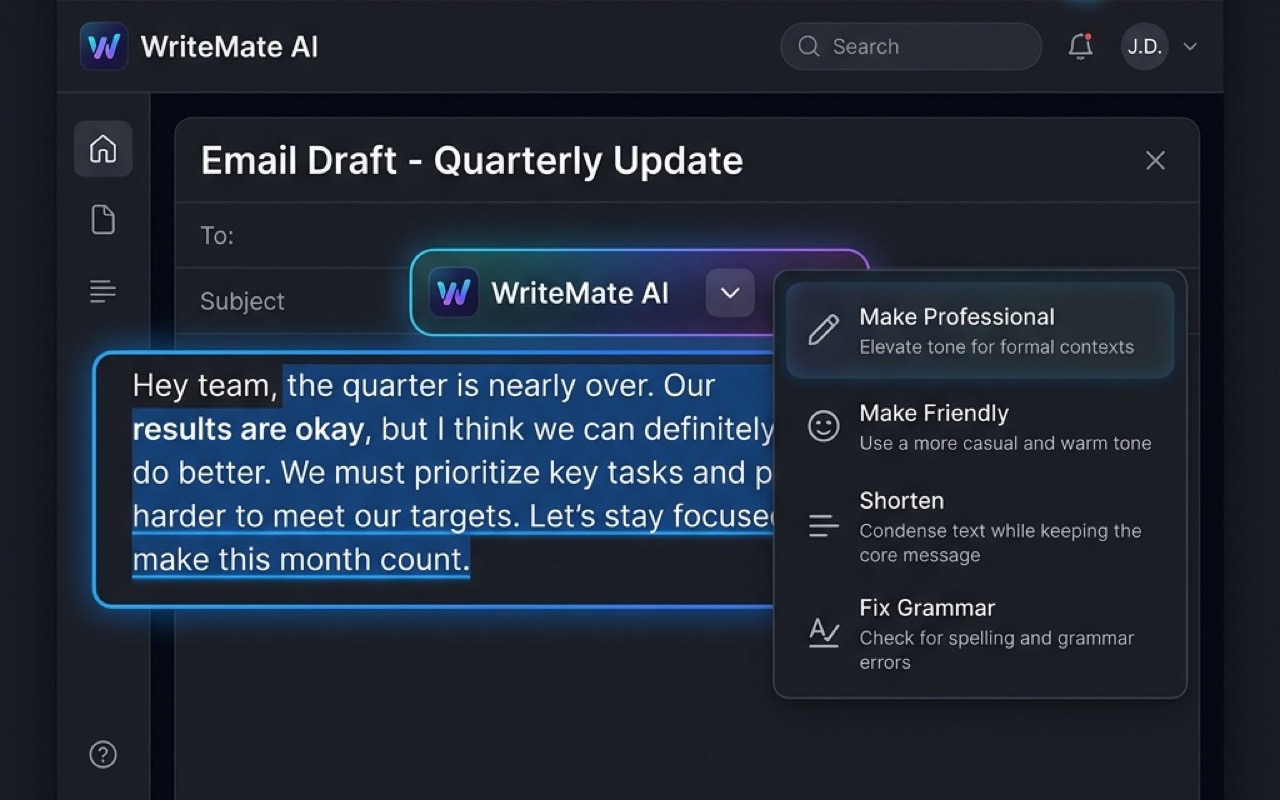
Highlight any rough text to instantly elevate tone, condense length, or correct grammar.
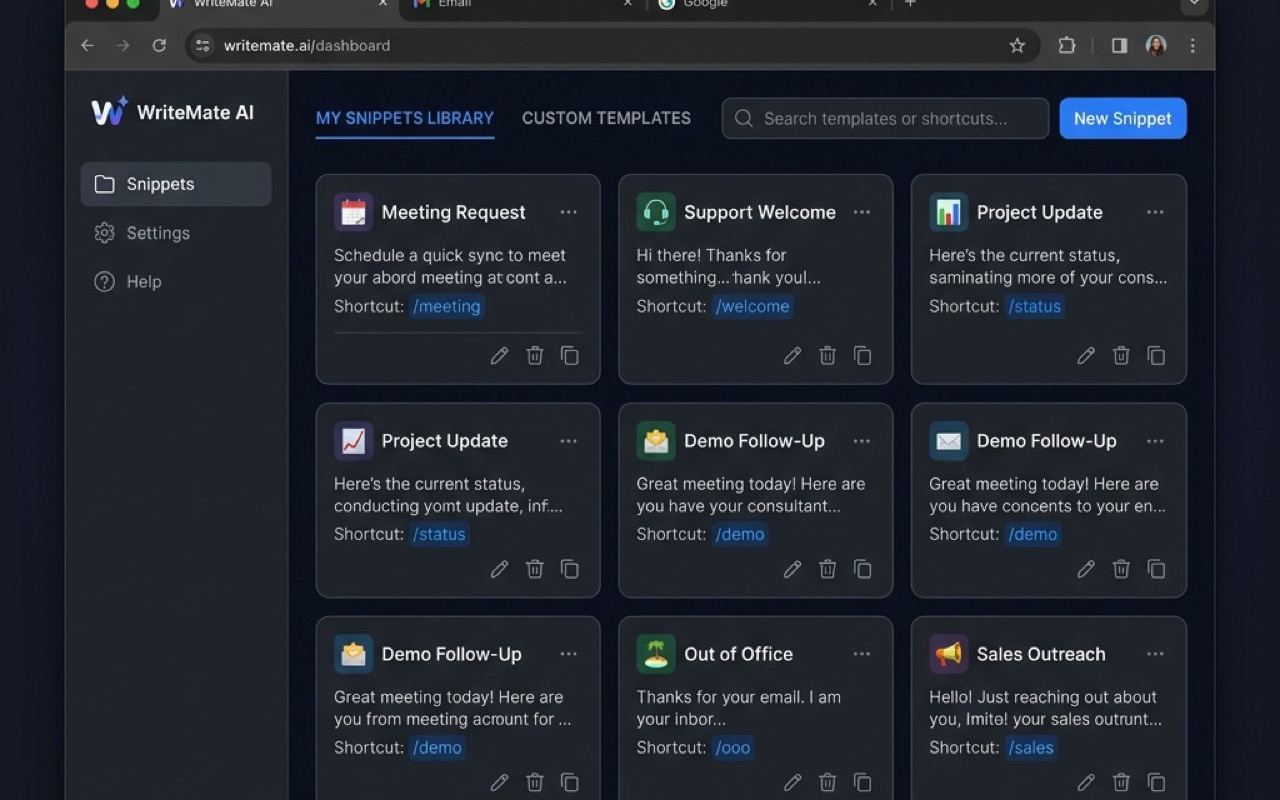
Type /snippet in any editor to expand calendar links, greetings, and repetitive replies.
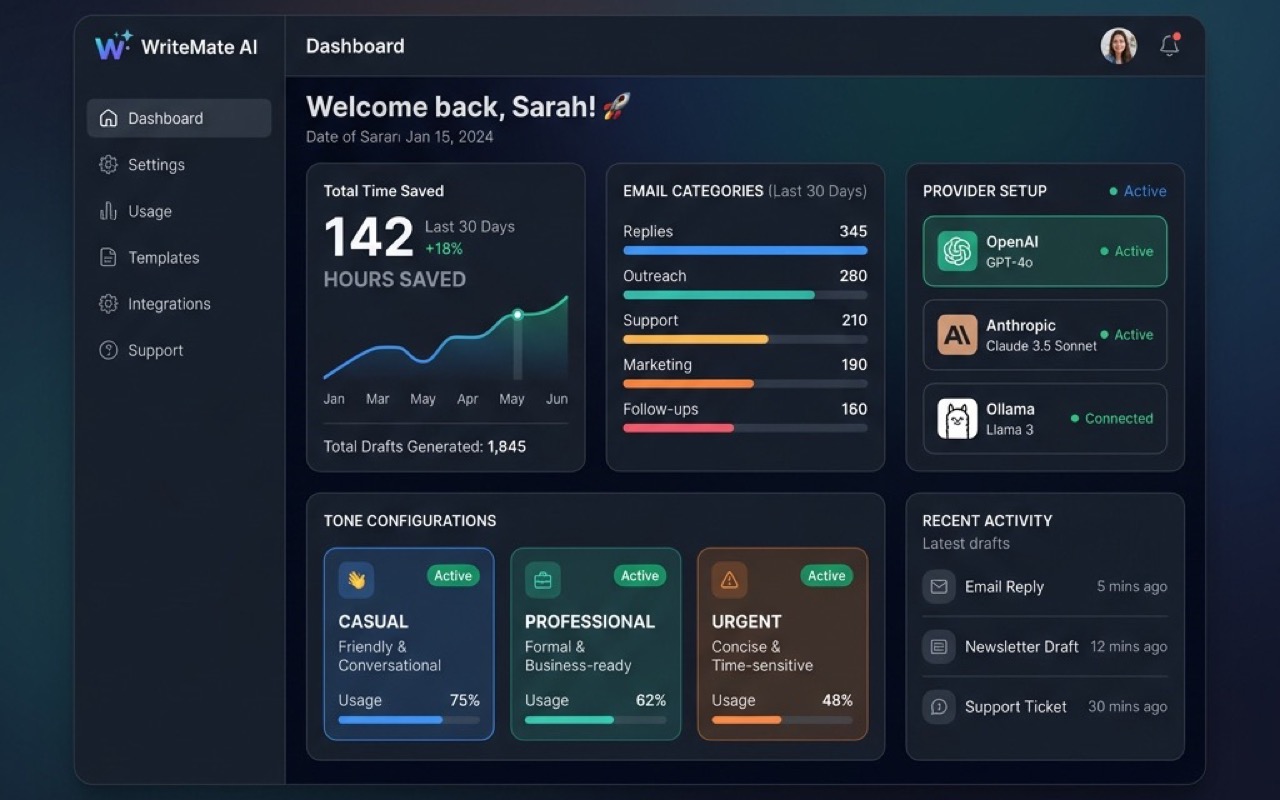
View productivity stats and securely store API keys only in local browser storage.
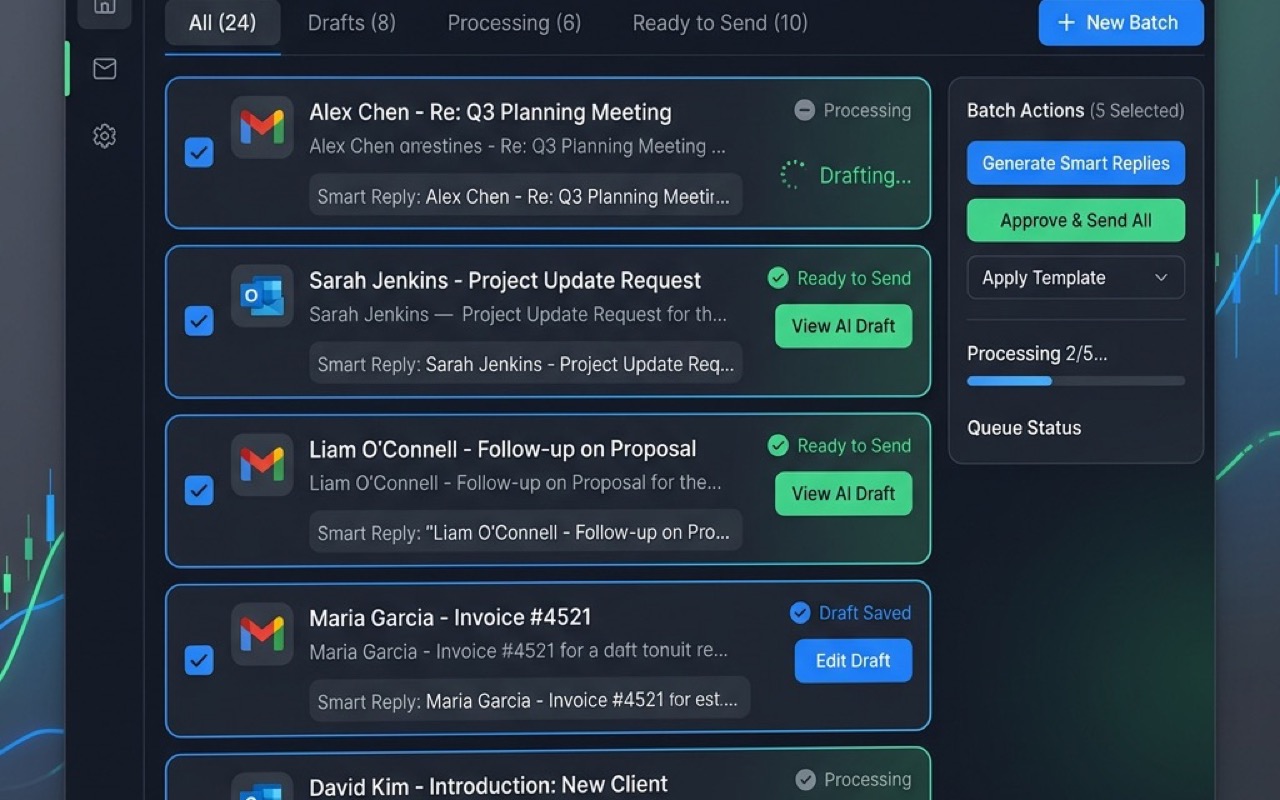
Draft responses for multiple selected conversations concurrently while keeping manual approval.
Bring your own AI
Start instantly in demo mode, then plug in the provider you already trust. Requests go straight from your browser to the provider — or stay 100% on your machine with local models.
We built WriteMate AI so your words stay yours. No accounts, no tracking, no middleman.
storage.local, never
sent anywhere else.Speed & Keyboard First
Trigger WriteMate AI anywhere — even inside editors where the floating ✨ button is hidden. Works natively on Windows, Linux, and macOS.
Generates email/text drafts or optimizes prompts on ChatGPT, Claude & Gemini right inside the focused box.
Summons the slide-out AI assistant on any webpage to Write, Chat, Summarize Page, or Polish text.
Instantly corrects typos, punctuation, and awkward phrasing inside the active text field with zero popups.
Categorizes your Gmail inbox into Urgent, Important, and Everything Else 100% locally on-device.
Type any custom trigger like /cal, /thanks, or /meeting to expand
full templates.
Remap any shortcut anytime at chrome://extensions/shortcuts, or
follow our 2-minute API key & Ollama setup guide.
FAQ
Yes. Install and try every feature in built-in demo mode with no sign-up. For live AI responses, add your own API key from any supported provider — you only pay your provider directly.
Gmail and Outlook get deep integration (thread context, compose assistant). The selection toolbar works on virtually any website — LinkedIn, Notion, docs, blogs, and any text field.
No. There is no WriteMate server. Requests go directly from your browser to the AI provider you configure, or stay fully on-device with Ollama / LM Studio.
Never. WriteMate AI only drafts, inserts and rewrites text. Sending is always your decision.
WriteMate AI includes native keyboard bindings designed for speed across both operating systems:
/cal, /thanks
+ Space/cal, /thanks
+ SpaceAll shortcuts can be customized anytime in
chrome://extensions/shortcuts.
Free to install. Works in seconds. No account required.
Add WriteMate AI to Chrome